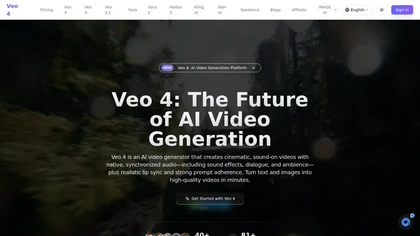
Veo 4
AI VideoCreate cinematic AI videos with Veo 4. Combine text, images, video, and audio to generate multi-s...
Overview
Create cinematic AI videos with Veo 4. Combine text, images, video, and audio to generate multi-shot stories with native audio and consistent characters.
Combine multiple reference assets in a single Veo 4 generation: images, video clips, and audio files. Mix text, images, video, and audio freely to express your creative vision.
Reference motion, effects, camera movements, characters, scenes, and sounds from any uploaded content. Just describe what you want to reference in natural language — Veo 4 understands.
Key Features
- Key Features of Veo 4
- Multi-Modal Input
- Reference Anything
- Native Audio Generation
- Multi-Shot Storytelling
- Superior Consistency
- Precise Motion & Camera Replication
- Video Extension & Editing
- Cinematic Quality
- Ready to explore your use case?
- See what our customers have to say about Veo 4 and how it's transforming their creative workflows.
- Save 50% with Annual Billing
Details
Compose logical scene sequences from a single prompt. Characters, outfits, and lighting stay consistent across cuts — build cohesive narratives from 4–15 second shots without manual stitching.
Maintain perfect consistency for faces, clothing, text, scenes, and visual styles across your entire video. No more character drift or style breaks between frames.
Upload a reference video to replicate complex choreography, cinematic camera moves, and action sequences. No detailed prompts required — just show what you want.
Related Tools
Happy Horse AI Video Generator
Turn a Single Prompt into Cinematic AI Video
Seedance 2.0 Video Generator | zzo.ai
Use Seedance 2.0 Video Generator on zzo.ai for cinematic AI video with audio, keyframes, and referen...

Wan 3 AI - Revolutionary Video Generation Technology
Experience Wan 3 AI's breakthrough video generation. Transform text to cinematic videos inst...

AI Image to Video Generator | Free to Start, 14 AI Models
Turn any photo into cinematic video with our image to video AI generator. Make portraits, product...